Triage faster with tab groups
The prerelease tab-group routine: one colour per entity type, the omnibox with a source filter, the reuse rule, and the side panel alongside instead of another tab.
The bottleneck in first-line triage is rarely analysis. It is the twenty seconds per indicator spent selecting, copying, switching to a bookmark, pasting, and doing it again for the next source — then losing the thread because there are now thirty untitled tabs and you cannot remember which four belong to the address you were looking at.
Coeus was written around that twenty seconds. Here is the routine it is built for.
One gesture, one group
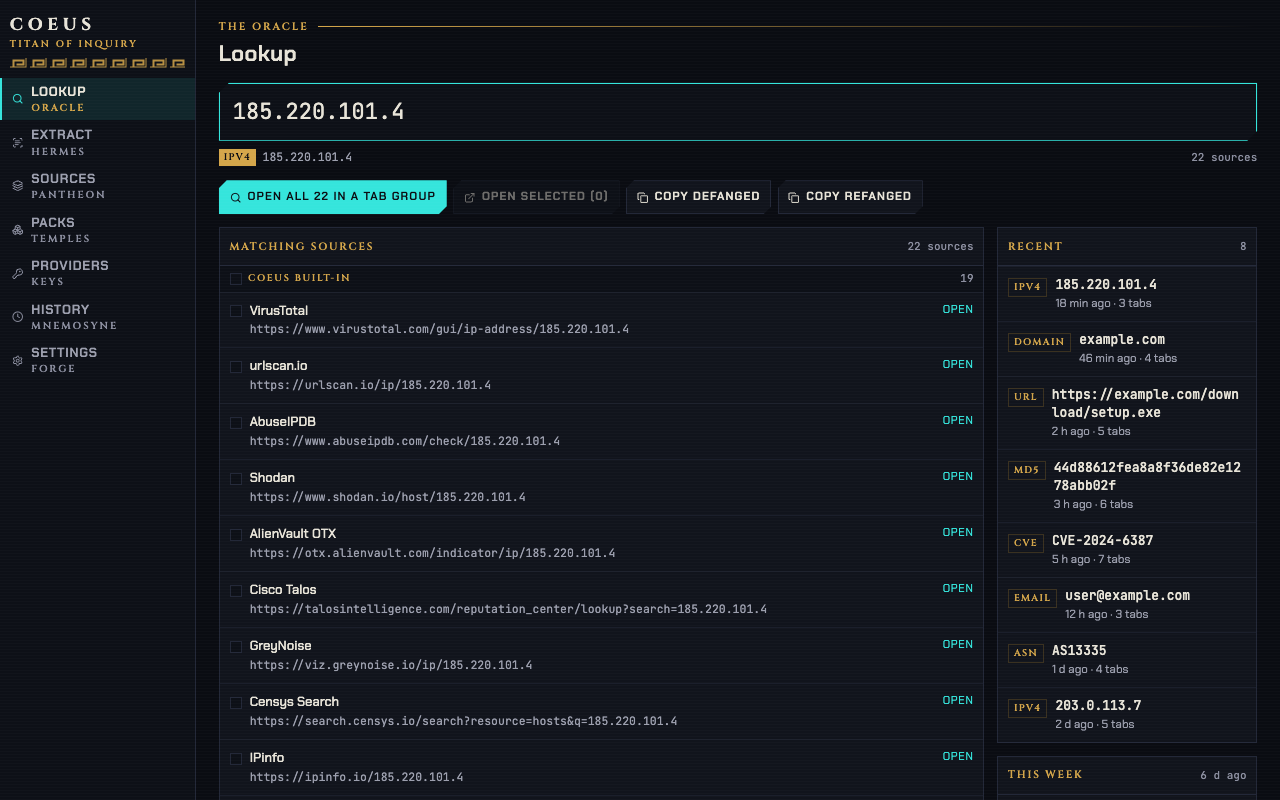
Select an indicator anywhere, right-click, and choose Query in all matching sources. Coeus detects the type, resolves every source that answers for it — built-in pack, your own sources, anything you subscribe to — opens them in background tabs and puts them in a single tab group titled with the value.
The group is the point. The tabs are collapsible, movable and closable as one thing, so "finish with this indicator" is one click rather than fifteen.
The colour comes from the type, so a window with several investigations open reads at a glance:
| Type | Group colour |
|---|---|
| IP | blue |
| Domain | green |
| URL | cyan |
| Hash | purple |
| yellow | |
| CVE | red |
| ASN | orange |
| Everything else | grey |
You can switch to a single fixed colour in Settings if a colour-blind palette makes that
mapping unhelpful — the title prefix (coeus: by default) still identifies the group.
The reuse rule
Look up the same value twice and the second lookup does not open a second group. Coeus looks
for an existing group in the current window titled coeus:<value> and adds to it. That matters
more than it sounds during a real incident: you check an address, move on, come back forty
minutes later with a new source in mind, and the new tab lands where the old ones are.
Two settings shape the rest of it. tabLimit (15 by default) is the ceiling: if a lookup would
open more tabs than that from the menu or the omnibox, Coeus opens the dashboard's Lookup page
pre-filled instead, so you can tick the sources you actually want. focusFirstTab decides
whether the first result steals focus; turn it off if you prefer to keep reading the report
while the tabs load behind it.
The omnibox is faster than the menu
For an indicator you have in your head rather than on a page, the address bar is quicker than
anything. Type c, a space, and the value:
c 185.220.101.4
→ Query IPv4 "185.220.101.4" in 14 sources

c 185.220.101.4 shodan
→ Query IPv4 "185.220.101.4" in Shodan

c ? Subject: invoice from hxxps://evil[.]com
→ Extract indicators from pasted text
The second token is a filter: a case-insensitive substring match against source names and ids, which gives up to five suggestions. It is the fastest way to open one specific source without scrolling a menu.
The ? form sends the rest of the line to the Extract page, which is what you want when you
have a paragraph rather than a value. Defanged input works everywhere — the omnibox refangs
before it types, so hxxps://evil[.]com suggests a URL lookup, not nothing.
When you want one source, not fourteen
The as Type submenu on the context menu lists the sources for that type individually. Use it when you already know where the answer is: a hash you want in MalwareBazaar, a CVE you want in NVD. Below it sit Copy defanged and Copy refanged, which is the pair you reach for when the next step is a ticket rather than a browser.
The submenu is also the override: if a selection could be read two ways, picking the type explicitly forces it, rather than accepting whatever detection ranked first.
Keep the verdict out of the tab strip
Opening fourteen tabs answers "what does everyone say". It does not answer "is this known bad", and it is a slow way to ask.
If you have added any provider key, turn on autoEnrich and Coeus queries the providers that
answer for that type while the tabs are opening, then opens Chrome's side panel with a
consensus bar and one card per provider. The side panel sits beside the page rather than
competing with it for a tab, which means the verdict stays visible while you read the sources.
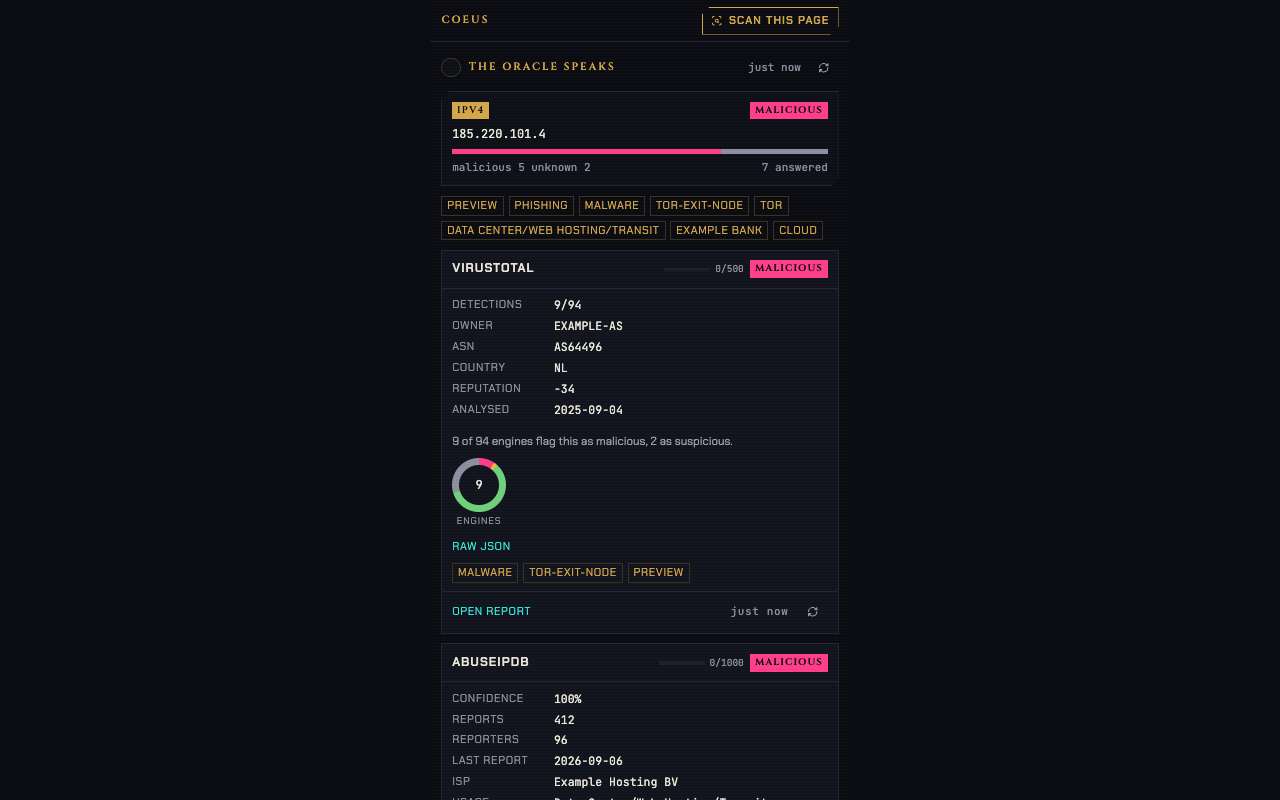
Results are cached for an hour by default, so re-checking the same address during an incident costs no quota. The meters on each card show what is left this minute and today.
A routine that fits together
Scan the report first
Ctrl+Shift+K on the advisory or the email you are working from. Every indicator on the page is marked, the badge shows how many unique ones there are, and you can start from the list rather than from a re-read.
Look up the ones that matter
Right-click each, or hover the highlight and use the chip. Each becomes its own coloured group.
Read the verdict before the tabs
The side panel has usually answered before the fourteenth tab has painted. Half the time that ends the triage.
Extract when there are more than a handful
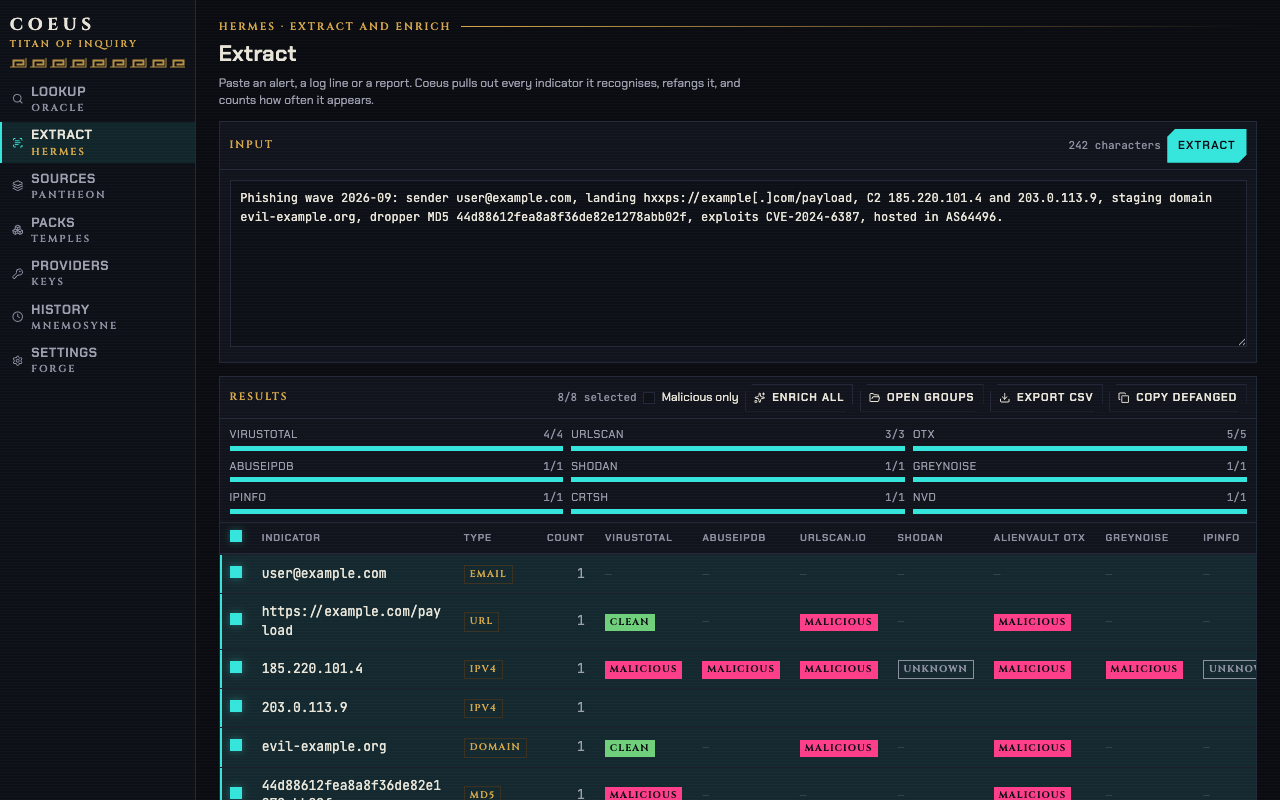
Paste the whole report into Extract instead. You get every indicator, de-duplicated, refanged and typed, with a verdict column and a CSV export for the ticket.
Close the group
One click closes the investigation. Nothing is left in the strip to confuse the next one.
The keyboard shortcuts, including how to change any of them, are in keyboard shortcuts; the settings named above live under Lookup and Tab groups in getting started.